Bring Winter Wonder to Your Designs with Snow Text
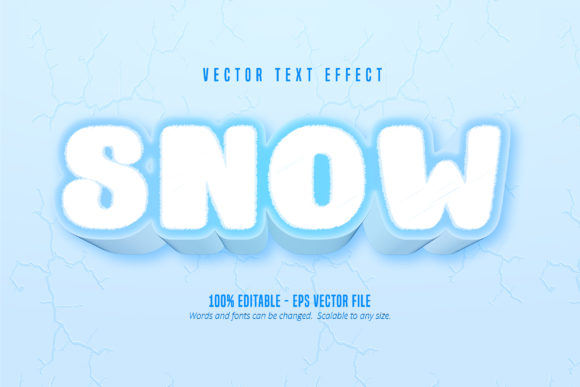
There’s a certain magic to snow—the way it blankets the world, softens edges, and brings a sense of playful wonder. Imagine capturing that feeling in your typography. That’s the core idea behind the Snow Text, Cartoon Style Text Effect. It’s not just another typeface; it’s a specialized design asset built for Adobe Illustrator that transforms ordinary letters into characters that look like they’ve been sculpted from fresh powder, perfect for injecting a dose of whimsy and seasonal charm into a wide range of creative projects.
More Than Just a Font: A Design Asset for Specific Moments
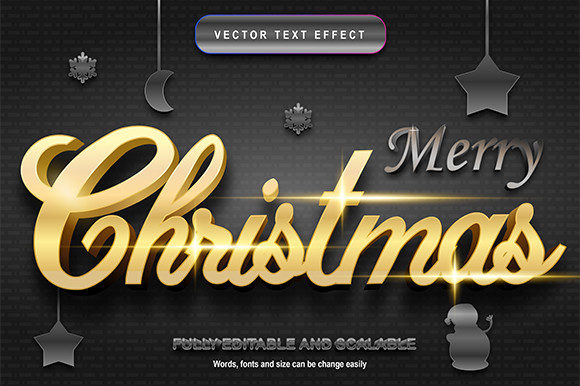
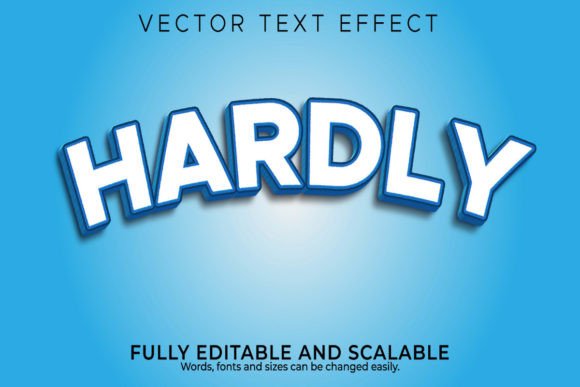
First, it’s crucial to understand what you’re getting. This is an editable text effect, packaged as an Adobe Illustrator EPS file. That distinction matters. Unlike a standard font file you install on your system, this is a pre-styled vector effect applied to text within Illustrator. This means you get the full visual treatment—the snowy texture, the cartoon-like contours, the dimensional shading—right out of the box, and it remains fully editable. You can change the words, adjust the color of the snow or the underlying text, and scale it to any size without losing quality, from a tiny social media icon to a massive printed banner.
The cartoon style is key. It avoids looking overly realistic or photographic, which can sometimes feel cold or sterile. Instead, the playful, illustrated quality makes it feel approachable, friendly, and inherently fun. This personality makes it a standout choice for projects that need to connect on an emotional level, especially during the holiday season, for winter-themed events, or for any brand that wants to communicate joy, imagination, and a touch of nostalgia.
Where This Frosty Effect Truly Shines: Practical Applications
So, where does a designer or business owner actually use a Snow Text effect? The applications are broader than you might first think, especially when you consider projects that benefit from a strong thematic or seasonal hook.
- Branding & Logo Design: A winter sports brand, a ski lodge, a holiday bakery, or a toy company could use this effect for seasonal logo variations. It creates instant visual recognition and sets a specific mood. Imagine a holiday sale announcement with your logo rendered in snowy letters—it immediately communicates the offer's theme.
- Packaging & Merchandise: Product packaging for seasonal items like hot cocoa mixes, winter candles, or festive snacks can leverage this text effect to stand out on the shelf. It’s also perfect for designing merchandise like holiday-themed t-shirts, mugs, and stickers that feel special and limited-edition.
- Marketing & Social Media: In the crowded space of social media, a graphic featuring Snow Text can stop the scroll. Use it for Instagram stories promoting a winter giveaway, Facebook ads for a holiday event, or Pinterest pins for DIY craft ideas. The visual impact is immediate and communicates the subject matter before the viewer even reads the caption.
- Events & Invitations: Designing invitations for a winter wonderland party, a corporate holiday gala, or a community snow festival? This effect sets the tone perfectly. It can be used for the event title on digital invites, printed programs, or venue signage.
- Editorial & Digital Content: Bloggers and content creators can use it for featured images on articles about winter recipes, holiday gift guides, or snow-day activities. It adds a professional, polished touch to headers and titles that reinforces the article's topic.
Achieving Visual Harmony: Pairing and Professionalism
While a bold display font like this is a fantastic headline-grabber, effective design is about balance. The cartoon style and textured detail of the Snow Text effect mean it’s best used for short, impactful text—think titles, logos, and call-to-action phrases. For body copy or longer paragraphs, you’ll want to pair it with a highly readable sans-serif or serif font. A clean, modern sans-serif like a geometric or humanist typeface can provide a nice contrast, letting the snowy headline pop while ensuring the rest of your content is easy to digest.
Using a specialized effect like this also contributes to visual consistency and brand recognition. When a brand uses a unique, thematic element consistently across its seasonal marketing—from social media to packaging to in-store signage—it builds a cohesive identity that audiences come to recognize and associate with specific feelings (in this case, winter fun and celebration).
A Few Practical Considerations Before You Dive In
Before incorporating this or any premium font effect into your workflow, a little due diligence goes a long way. First, always check the licensing. Even if a design asset is sold as “commercial,” the license may have restrictions on things like print-on-demand merchandise or the number of end products. Read the terms provided by the seller to ensure it fits your project’s scope, especially if you’re creating items for resale.
Second, consider your audience and context. The playful, cartoon aesthetic is perfect for certain markets but might not align with a luxury brand or a serious corporate report. Always match the typography’s personality to your project’s goals and the message you want to convey. A high-end jewelry brand might use a delicate script or a minimalist sans-serif, while a children’s event planner would thrive with something like the Snow Text effect.
Finally, leverage the editability. Because this is an Illustrator file, you have control. Test different color combinations—maybe the snow is a soft blue instead of white, or the text beneath is a rich crimson. Adjust the size to see how the details hold up. The ability to customize is what makes it a versatile tool rather than a rigid image.
In the end, typography is one of the most powerful tools in a visual communicator’s kit. A resource like the Snow Text, Cartoon Style Text Effect offers a specific, high-quality solution for a common design need: creating engaging, thematic visuals quickly and professionally. It’s about having the right asset for the right job, allowing you to produce work that feels both polished and full of personality, ultimately helping your projects—and your brand—connect more meaningfully with its intended audience.