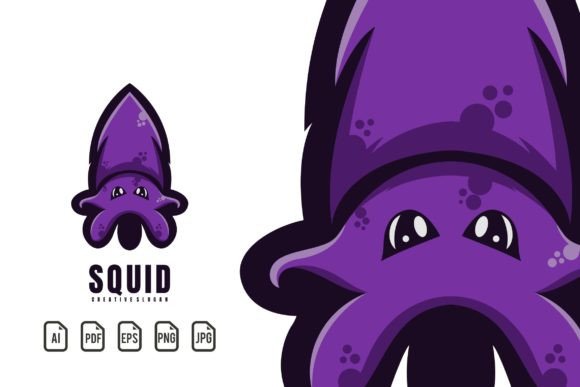
Squid Mascot Logo: A Dynamic Vector Template for Modern Brands
There’s a certain magnetism to a well-crafted mascot. It’s more than just an illustration; it’s a personality, a silent ambassador for your brand that can convey energy, trust, or playfulness in a single glance. The Squid Mascot Logo template captures this perfectly, offering a versatile and striking visual anchor for projects that demand attention. Whether you’re launching a gaming channel, outfitting a sports team, or designing merchandise for a tech startup, this design provides a professional foundation that’s both adaptable and immediately engaging. It’s not just a static image—it’s a scalable vector asset ready to become the face of your next creative endeavor.
Why a Mascot Logo Works for Diverse Projects
Mascot logos transcend simple branding. They tell a story. A squid, for instance, embodies intelligence, adaptability, and depth—qualities that resonate across various industries. This particular design leans into a modern, gaming-inspired aesthetic, making it ideal for esports teams, streaming personalities, or athletic apparel brands looking for a fierce yet approachable identity. Its detailed line work and customizable color palette allow it to fit seamlessly into a poster, a social media avatar, or the front of a hoodie. The template’s strength lies in its ability to maintain visual integrity whether it’s scaled down for a favicon or blown up for a banner.
Beyond gaming and sports, consider its application for educational content (think marine biology blogs), food brands (specializing in seafood or creative cuisine), or even tech companies that want to project a clever, problem-solving image. The key is that the template provides a professional starting point, saving you weeks of development time while ensuring a polished result.
Unlocking Full Creative Control with Vector Flexibility
The true power of this download lies in its technical specifications. Every file is built on a 100% scalable vector foundation. This means you can resize the logo to any dimension without losing a pixel of clarity—a non-negotiable requirement for professional print materials and large-format signage. The package includes industry-standard AI, EPS, and PDF files, ensuring compatibility with virtually any design software, from Adobe Illustrator to free alternatives like Inkscape.
But flexibility goes beyond size. The template is fully editable. Want to change the squid’s color to match your brand’s palette? Done. Need to adjust the angle of a tentacle for a specific layout? Easy. This level of control is crucial for creating a cohesive brand identity system. You can extract elements of the mascot—a single tentacle, the eye, or the silhouette—to create secondary graphics, patterns, or icons for your website and social media, ensuring visual consistency across all touchpoints.
Practical Applications: From Screen to Print and Beyond
Let’s move from theory to practice. Here’s how you can deploy this asset immediately:
- Digital Presence: Use the PNG or JPG files for quick implementation on social media profiles, YouTube channel art, or website headers. The high-resolution exports ensure your logo looks sharp on retina displays.
- Merchandise & Apparel: The vector format is perfect for screen printing and embroidery. Upload the EPS or AI file to a print-on-demand service to create t-shirts, stickers, or posters for your community or online store.
- Marketing Collateral: Incorporate the mascot into brochures, business cards, or event invitations. Its bold style ensures it stands out in a crowded inbox or on a physical mailer.
- Packaging Design: For a product line, the squid can become the central graphic on packaging, conveying a theme of quality and personality that generic designs cannot match.
The included PNG files with transparent backgrounds are particularly useful for layering the mascot over photos or complex backgrounds in your digital product mockups or editorial layouts.
Typography Integration and Brand Cohesion
A mascot is only part of the equation. The accompanying text—your brand name or tagline—needs to harmonize with the visual style. The template’s help file simplifies this by providing the exact font information used in the preview. Downloading and installing that free font allows you to seamlessly edit the text, maintaining the intended aesthetic. This attention to typographic detail elevates the entire project, ensuring your logo design feels intentional and professional.
When finalizing your logo, consider font pairing. A bold, geometric sans-serif might complement the mascot’s modern edge, while a sleek, condensed typeface could enhance a sportier feel. The goal is to create a lockup where the icon and text feel like a unified element, strengthening brand recognition and readability across all applications.
Final Considerations for a Successful Launch
Before you finalize, test the logo in context. Place it on a mockup of your intended product—a coffee mug, a website homepage, a team jersey. Does it maintain its impact? Is it legible at small sizes? Does the color contrast work for both light and dark backgrounds? This step is vital for ensuring your visual communication is effective.
Also, review the licensing. While the template itself is a design asset you purchase, confirm the license covers your intended commercial use, especially for merchandise or client work. This due diligence protects you and your business down the line.
Ultimately, the Squid Mascot Logo template is more than a file download; it’s a strategic tool. It offers a shortcut to a high-quality, adaptable brand mark that can grow with your project. By leveraging its vector editability and thoughtful design, you’re not just creating a logo—you’re building a recognizable symbol that can connect with your audience and stand the test of time.